11 illustration styles that work well with AI image models
The same scene recreated in 11 styles across GPT Image and Gemini, with the exact prompt blocks I used and notes on what held up.
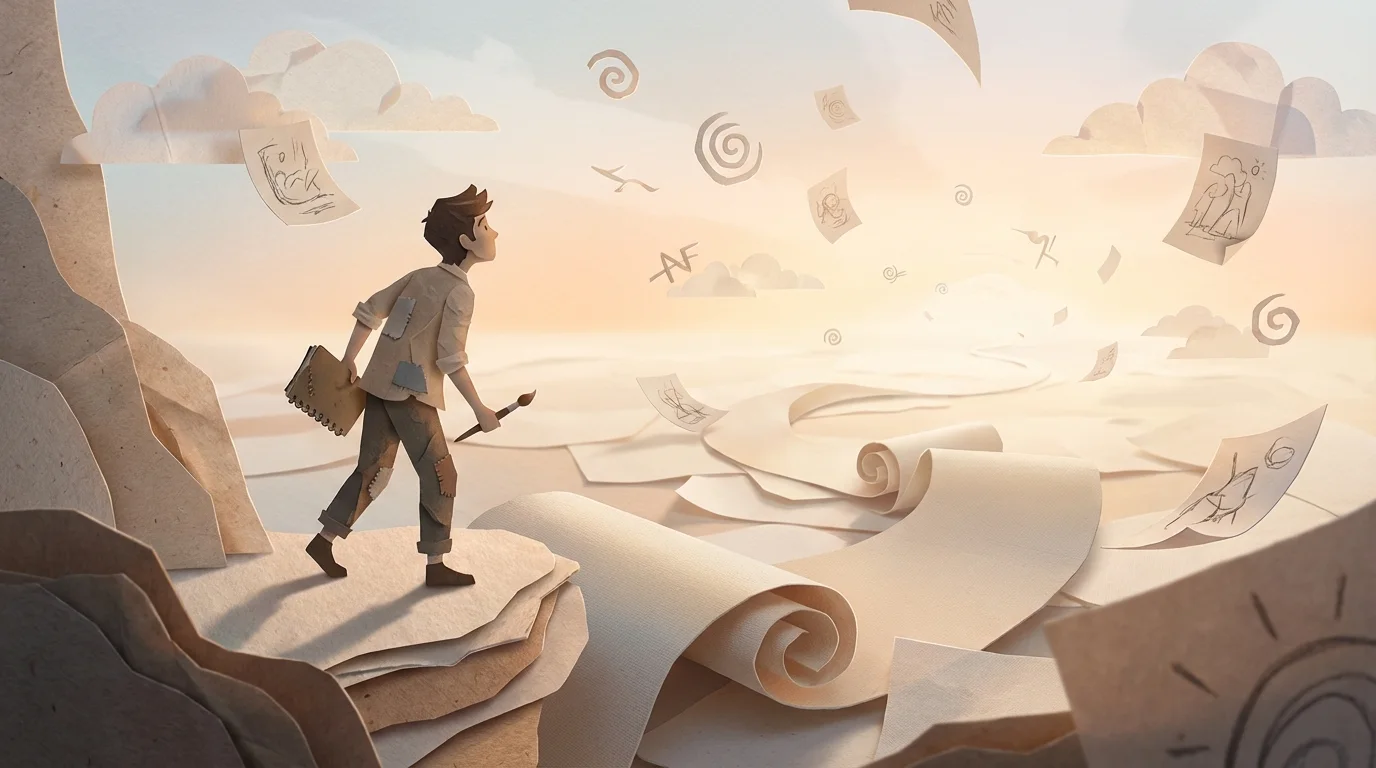
I used AI to draft much of this post and generate every image. I edited the copy and checked the factual details.
Naming a style is one of the strongest controls in an image prompt. A medium with clear rules, like linocut or risograph, gives more predictable results than a mood like “playful” or “cinematic.”
To show this, I rendered one scene in 11 styles with two models, changing only the style block between runs: a red bicycle courier crossing a stone bridge at sunrise, with river reflections and a city skyline. Each style made the cut because it has recognizable rules for shape, texture, color, or perspective that a model can follow.
Models: gpt-image-1.5 and gemini-3-pro-image-preview.
The method
- Lock the subject, action, environment, and framing.
- Add one style block per run.
- Put identity, object count, text, and exclusion rules in a control block.
- Set the aspect ratio and size before generating.
- When something fails, edit that part of the prompt instead of rewriting it.
Current models like Nano Banana 2 are better at keeping several characters and objects consistent in complex scenes, so it’s worth stating identity and object count explicitly:
Control block:
- Keep one consistent subject identity across variants.
- Preserve object count and relative placement.
- Do not add extra characters, logos, or text.
- If text is required: render legibly in [language].
- Keep composition stable unless explicitly changed.
Base scene prompt
Every style below appends its treatment to this:
Draw a red bicycle courier crossing a stone bridge over a calm river at sunrise,
small city skyline in the background, trees on both sides, soft morning mist,
centered composition, full scene, no text or logos.
The hero image at the top used the paper-cut treatment with Gemini:
Create a striking blog hero illustration of a solitary artist searching for inspiration inside an infinite canvas world.
Show the artist in the foreground with sketchbook and brush, standing on layered paper forms while an endless canvas
pathway extends into the distance with floating cut-paper sketches, abstract symbols, and soft sunrise light.
Convey curiosity, momentum, and creative discovery. Wide cinematic composition (16:9), clear focal point,
strong depth, no text, no logos.
Style treatment: paper-cut collage illustration, layered cut-paper shapes, tactile paper fibers,
soft depth shadows between layers.
1. Flat vector editorial
Geometric shapes and clean silhouettes give the model firm edges, and a limited palette with minimal shading leaves little to improvise.
Prompt adjustment:
Style treatment: flat vector editorial illustration, clean geometric shapes,
crisp edges, minimal shading, limited palette of teal coral cream,
subtle grain texture.
gpt-image-1.5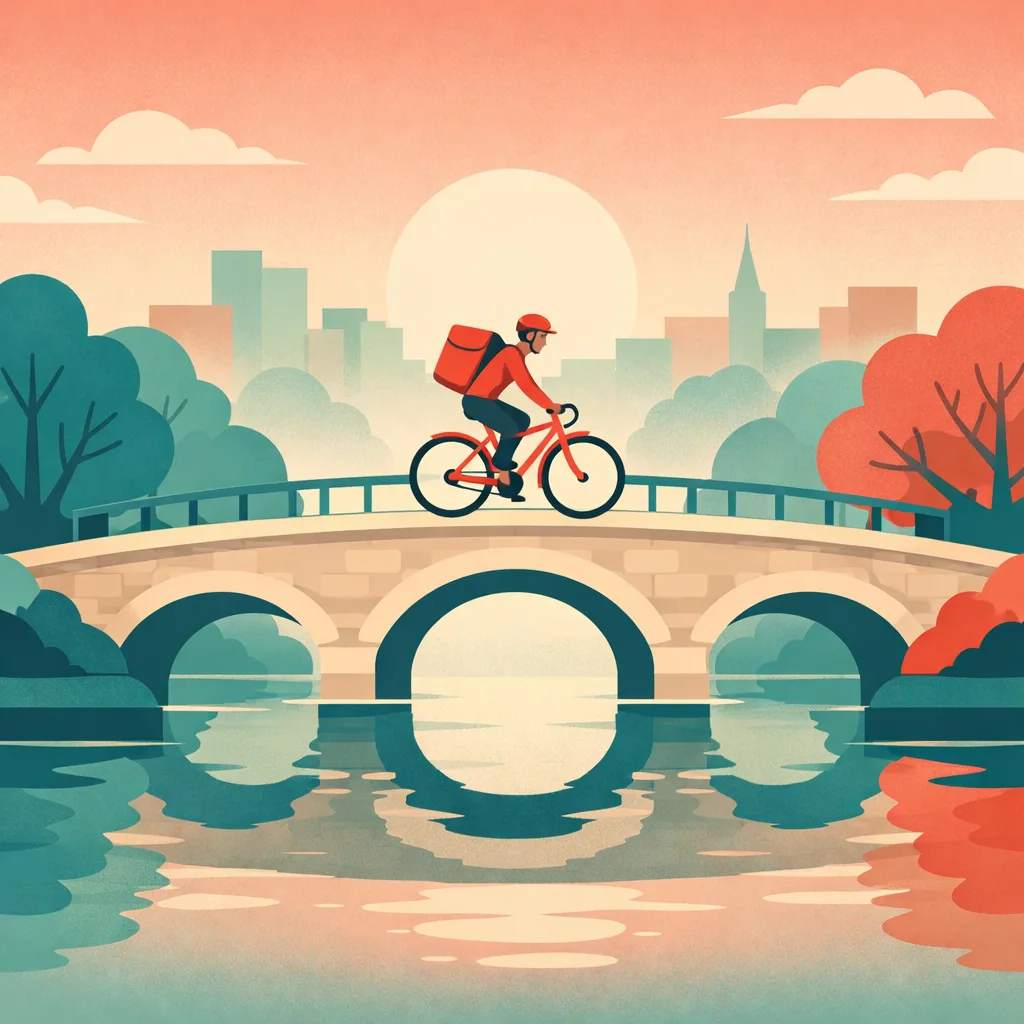
gemini-3-pro-image-preview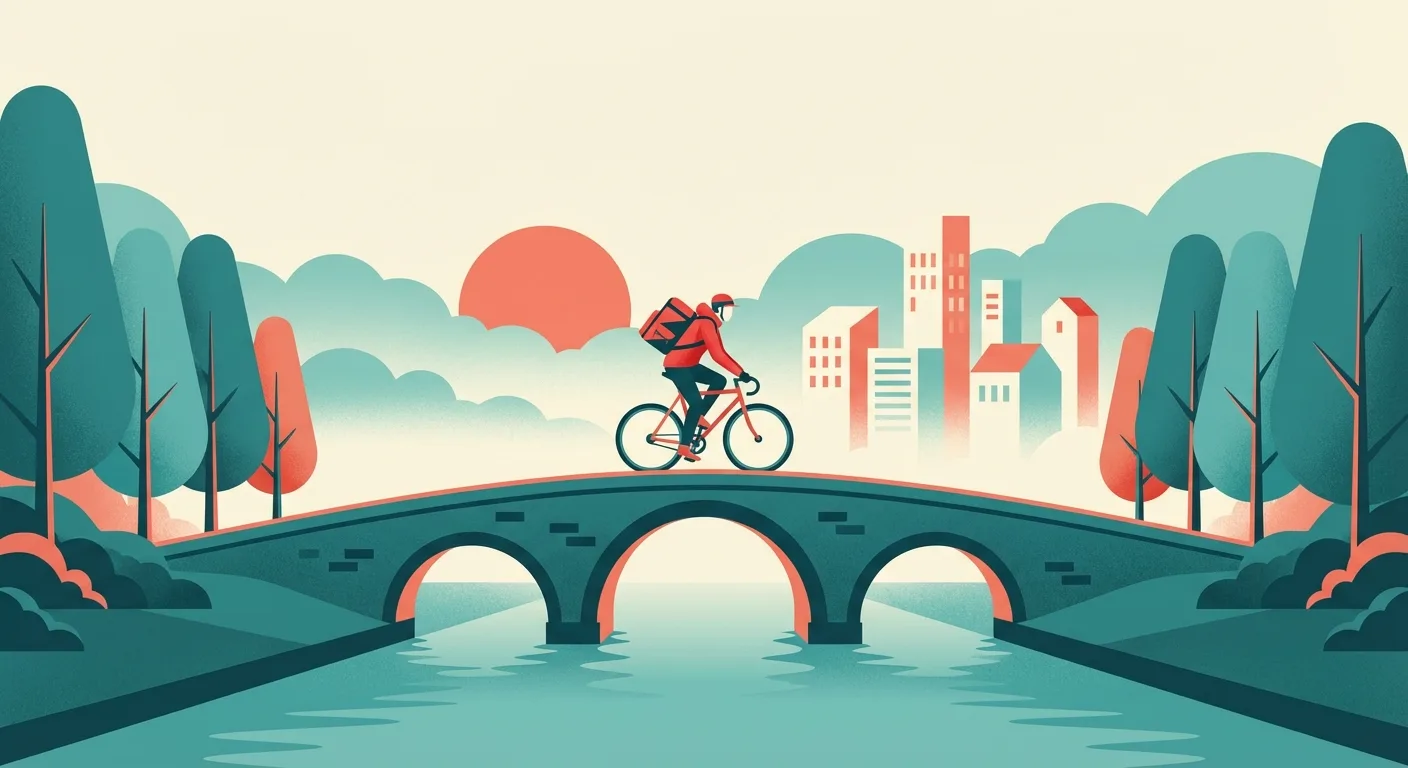
2. Isometric illustration
Isometric axes fix the perspective before the model draws anything, which helps objects keep their shape and spacing.
Prompt adjustment:
Style treatment: isometric technical illustration, axonometric perspective,
precise geometry, long soft shadows, muted cyan and warm orange palette.
gpt-image-1.5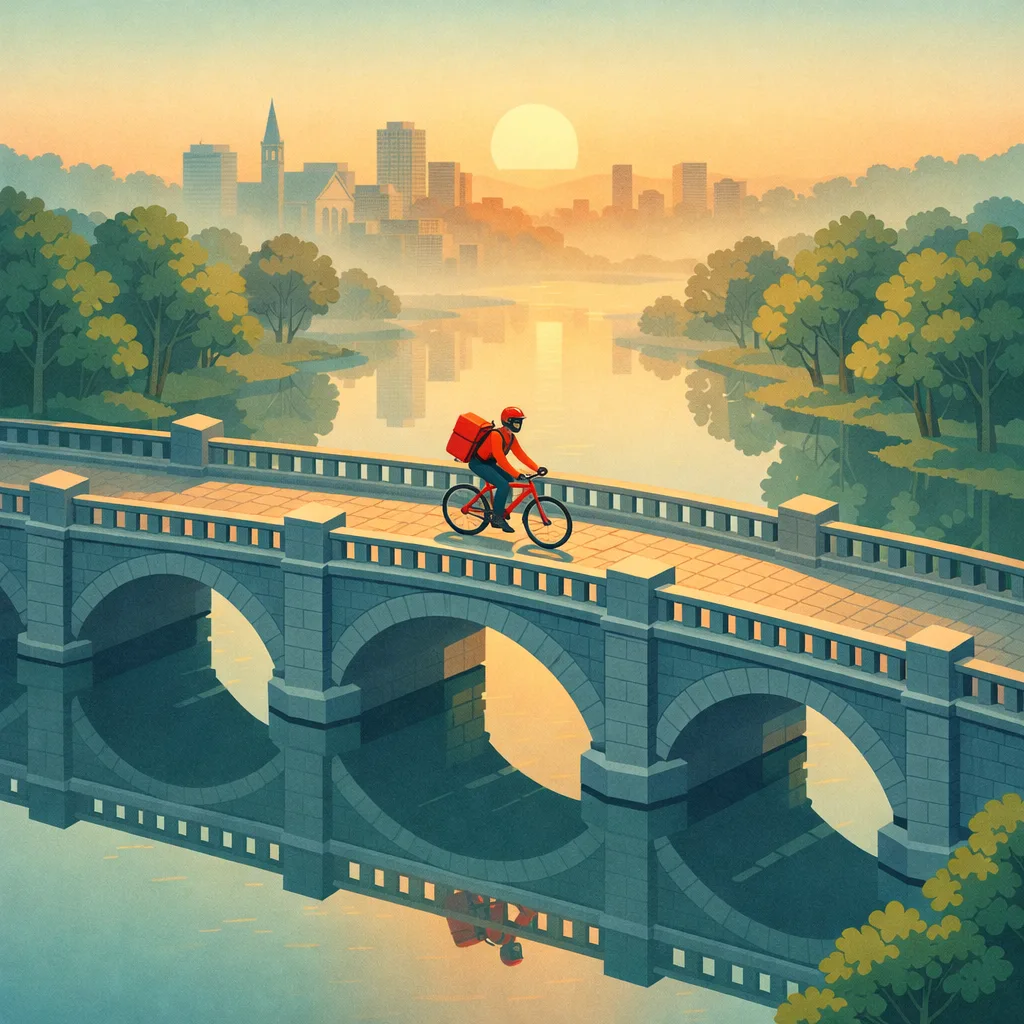
gemini-3-pro-image-preview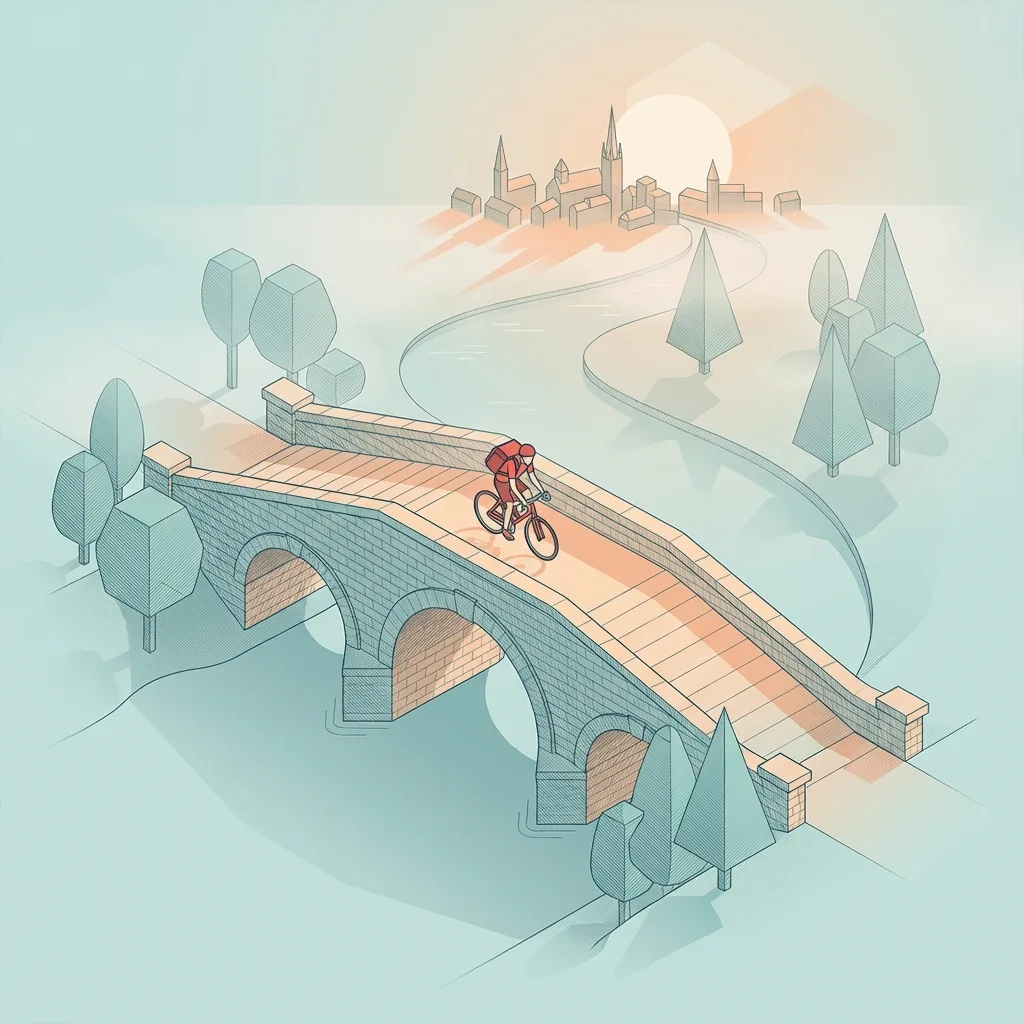
3. Ink line art
Line-only rendering is a strict constraint, and models follow instructions about hatching and line weight well.
Prompt adjustment:
Style treatment: black and white ink line art, varied line weight,
cross-hatching for shadows, hand-drawn texture on off-white paper.
gpt-image-1.5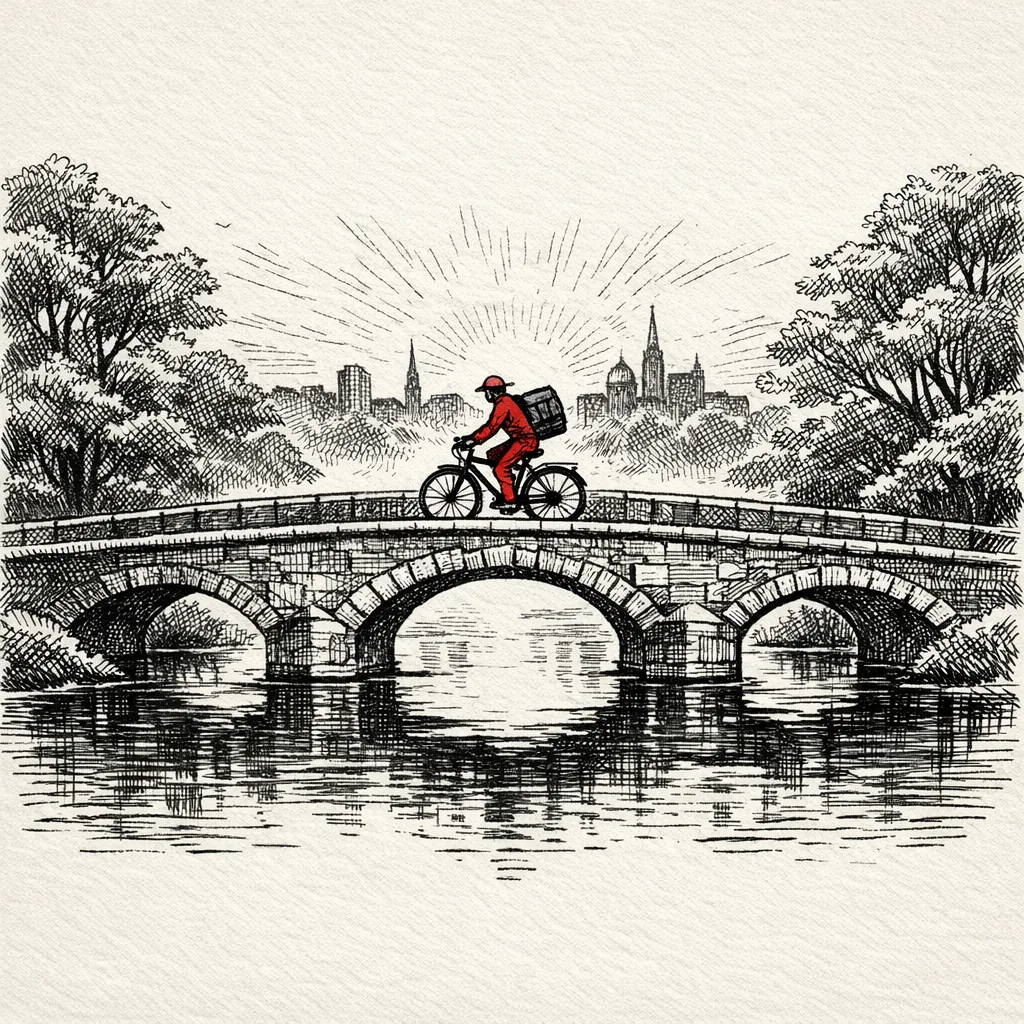
gemini-3-pro-image-preview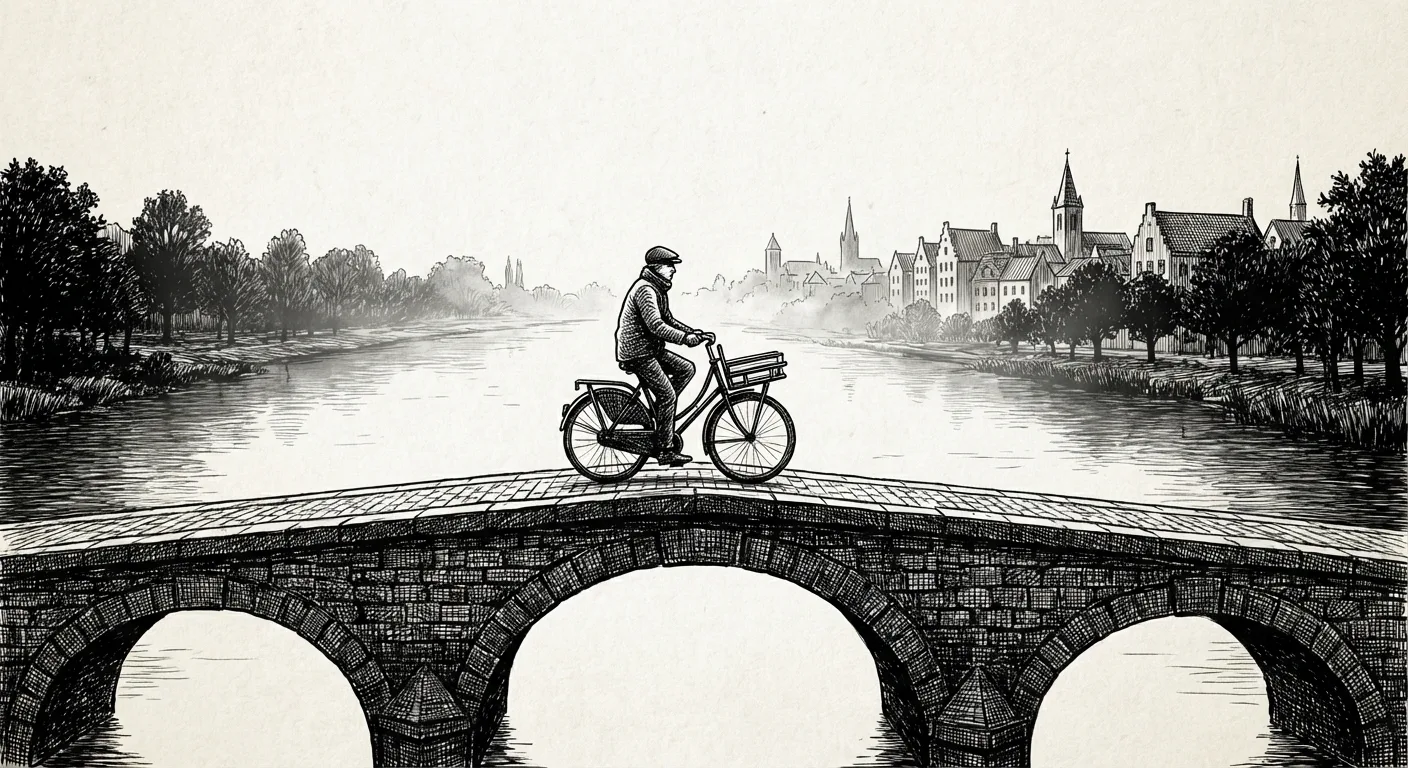
4. Watercolor
Models know washes, soft edges, and pigment blooms, and small artifacts look less out of place here than in crisp vector work.
Prompt adjustment:
Style treatment: watercolor illustration on cold-press paper,
transparent washes, soft edges, pigment blooms, light granulation.
gpt-image-1.5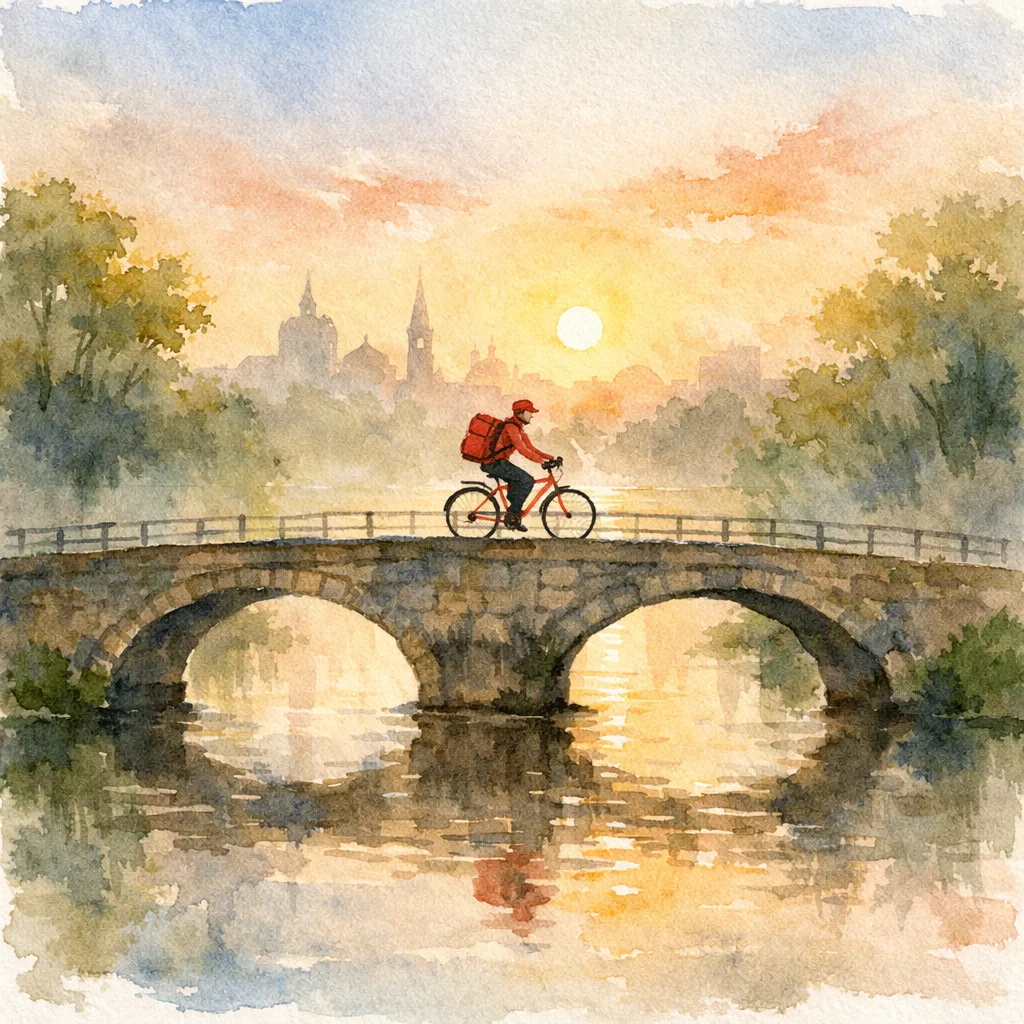
gemini-3-pro-image-preview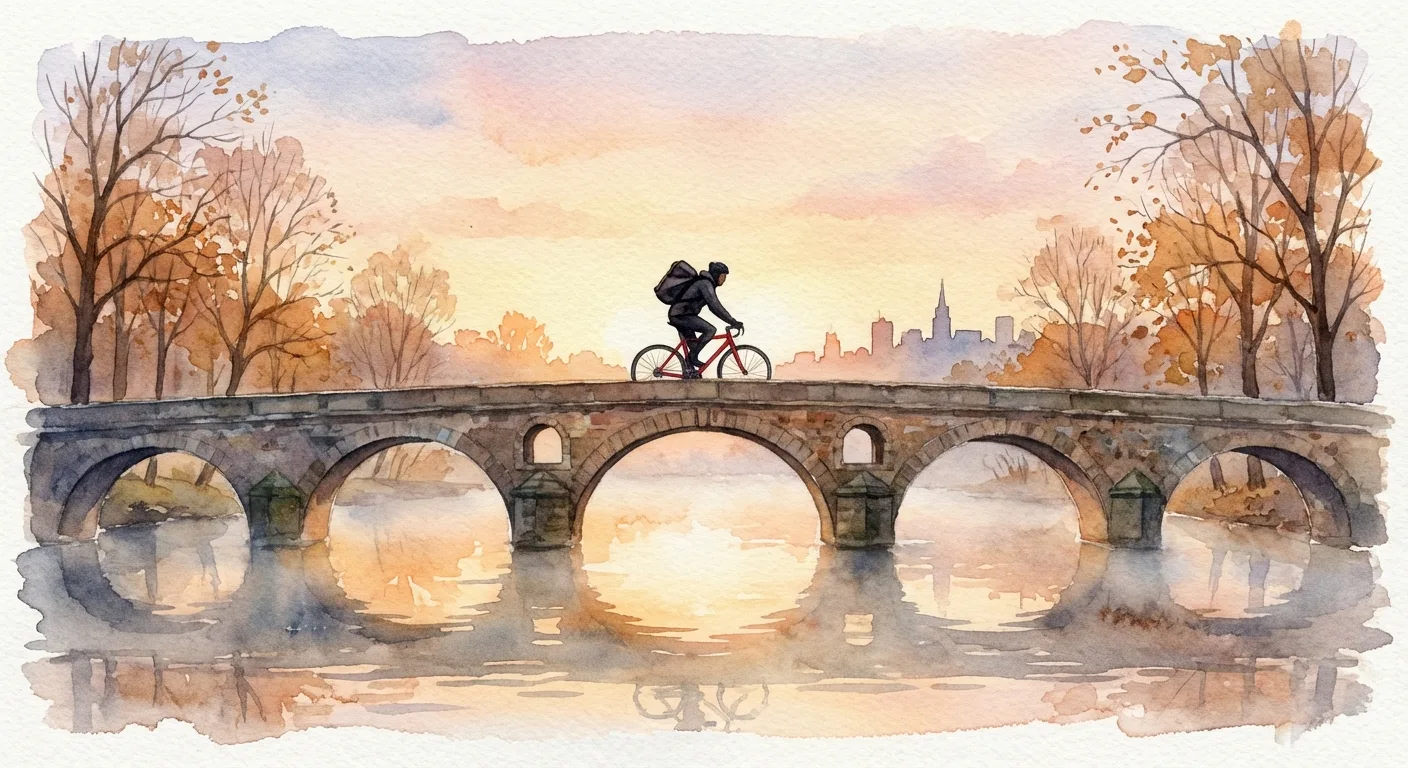
5. Storybook gouache
Matte, opaque paint gives the model a specific surface to imitate, and broad color blocks hold up when the subject or composition changes.
Prompt adjustment:
Style treatment: storybook gouache painting, matte opaque brush strokes,
rich warm palette, layered painted texture.
gpt-image-1.5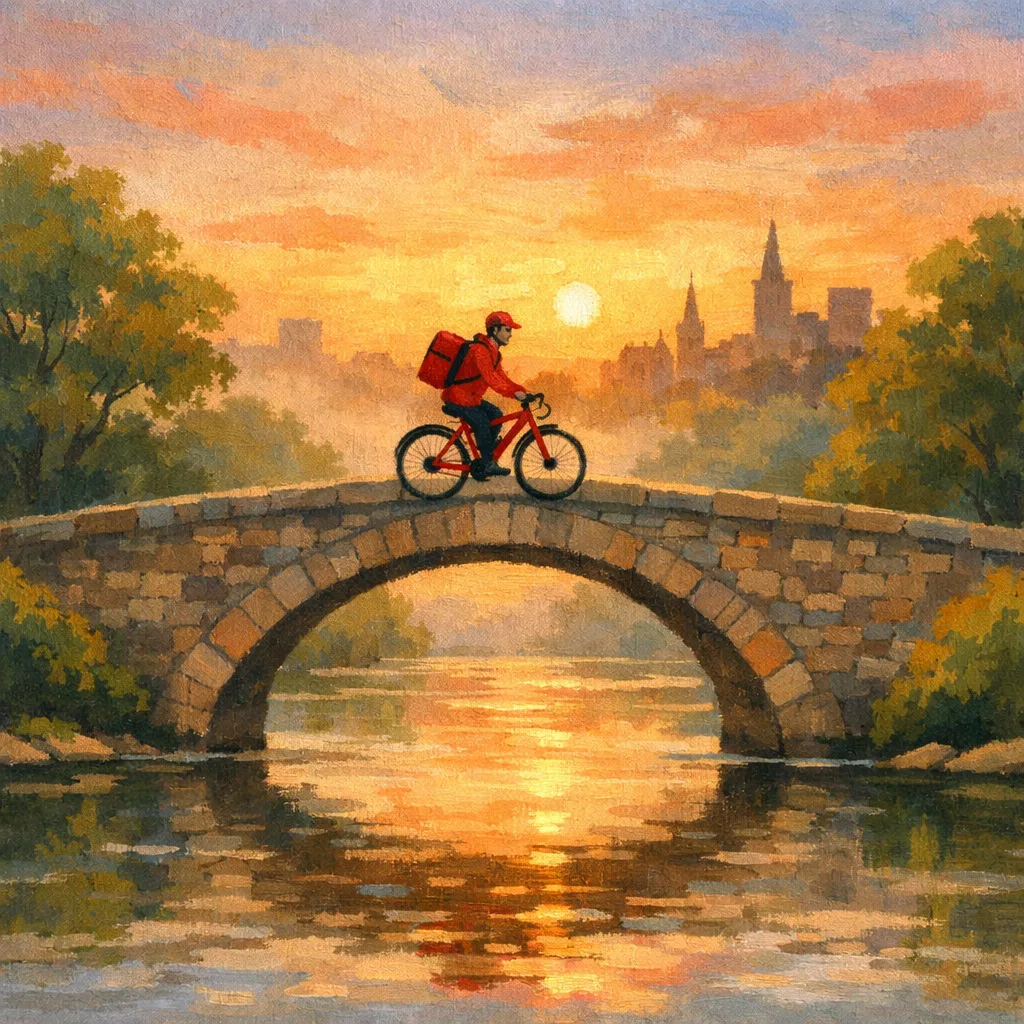
gemini-3-pro-image-preview
6. Paper-cut collage
Layered shapes and cast shadows create depth without realistic perspective. Terms like “paper fibers” and “cut edges” reliably show up in the result.
Prompt adjustment:
Style treatment: paper-cut collage illustration, layered cut-paper shapes,
tactile paper fibers, soft depth shadows between layers.
gpt-image-1.5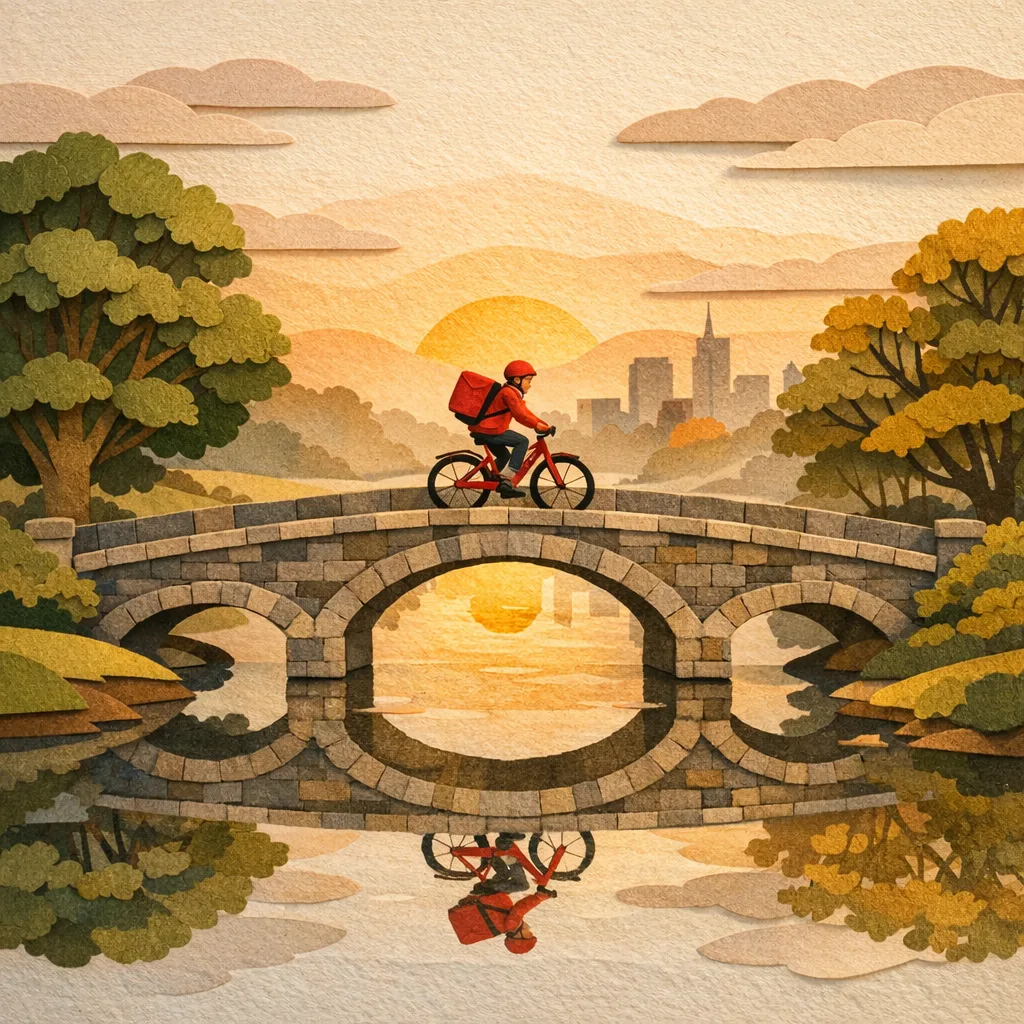
gemini-3-pro-image-preview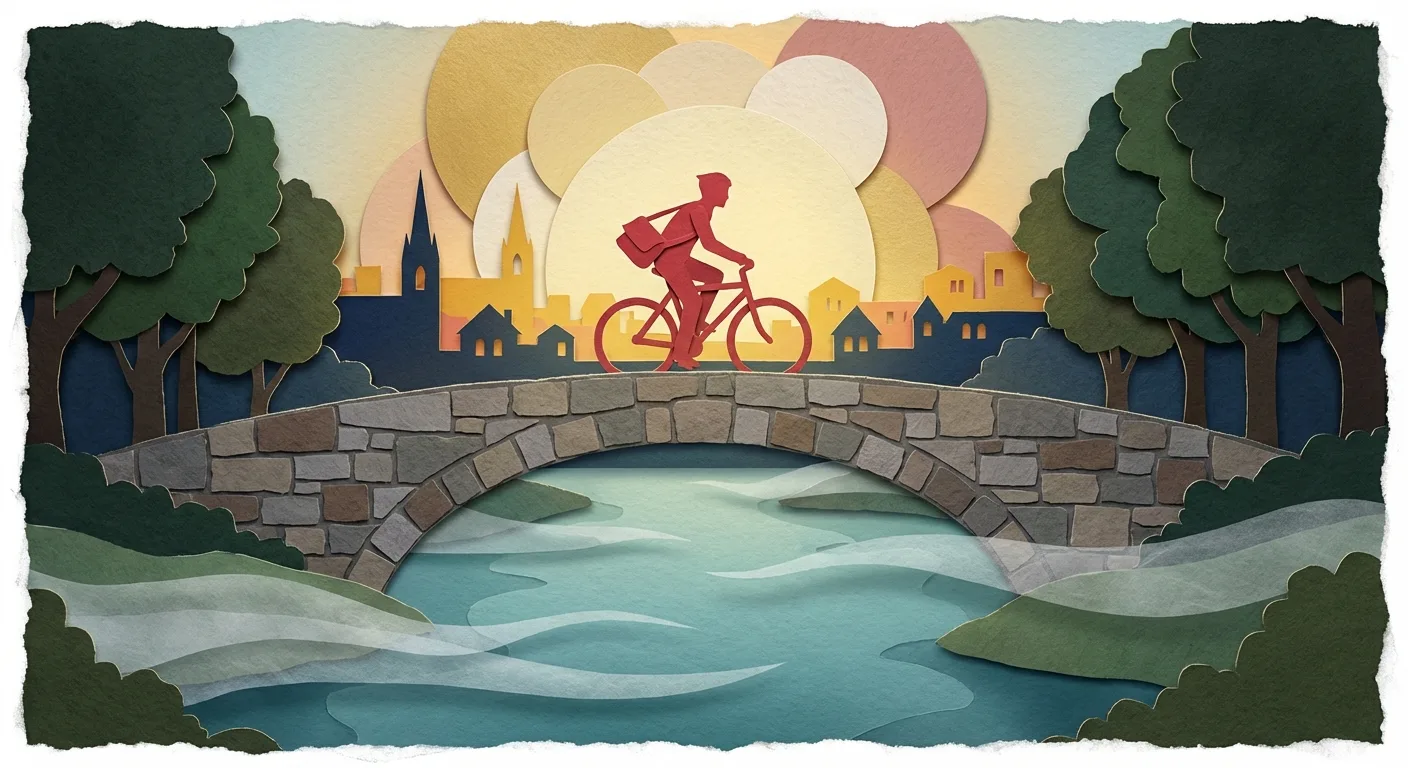
7. Risograph print
Spot colors, halftone dots, and misregistration are concrete instructions, and because printing flaws are part of the style, the result doesn’t need perfect edges.
Prompt adjustment:
Style treatment: risograph print aesthetic, two-color spot inks
(fluorescent pink and teal), halftone dots, slight misregistration,
vintage poster feel.
gpt-image-1.5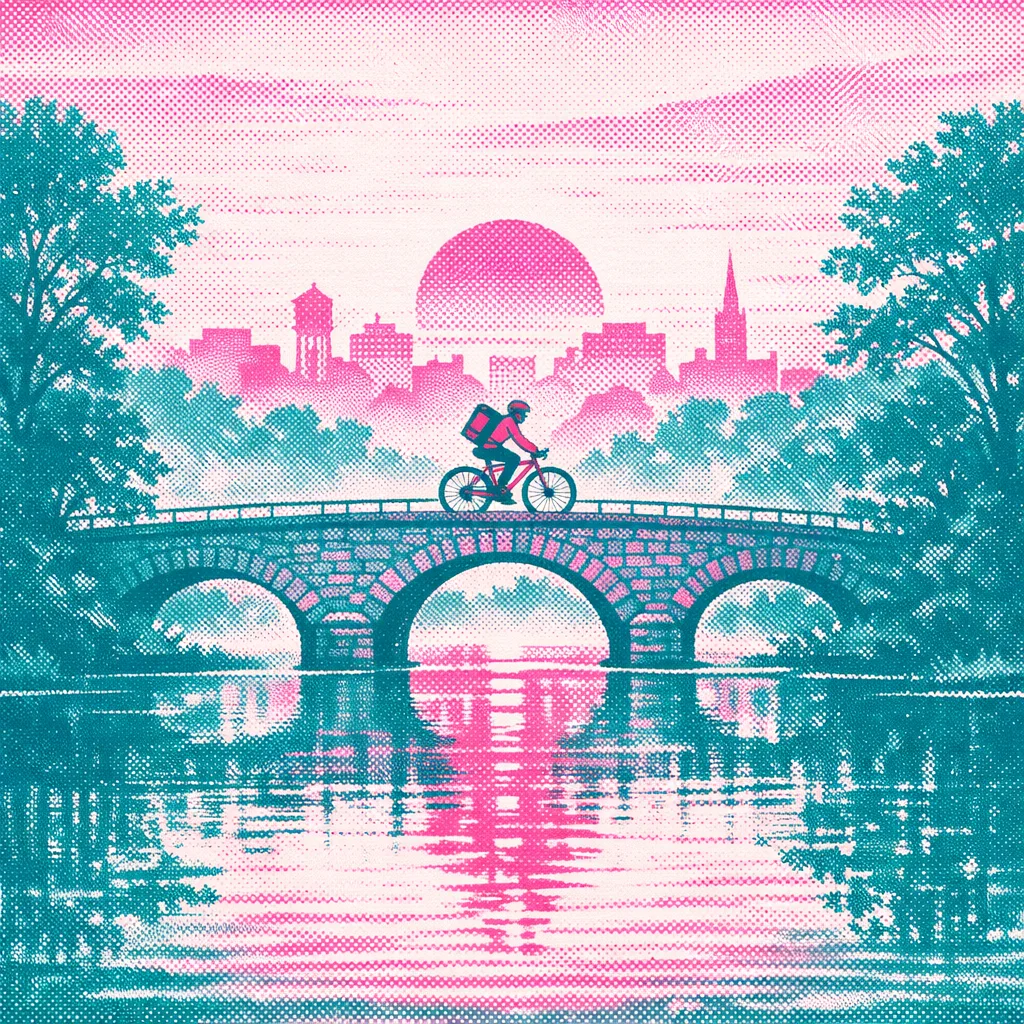
gemini-3-pro-image-preview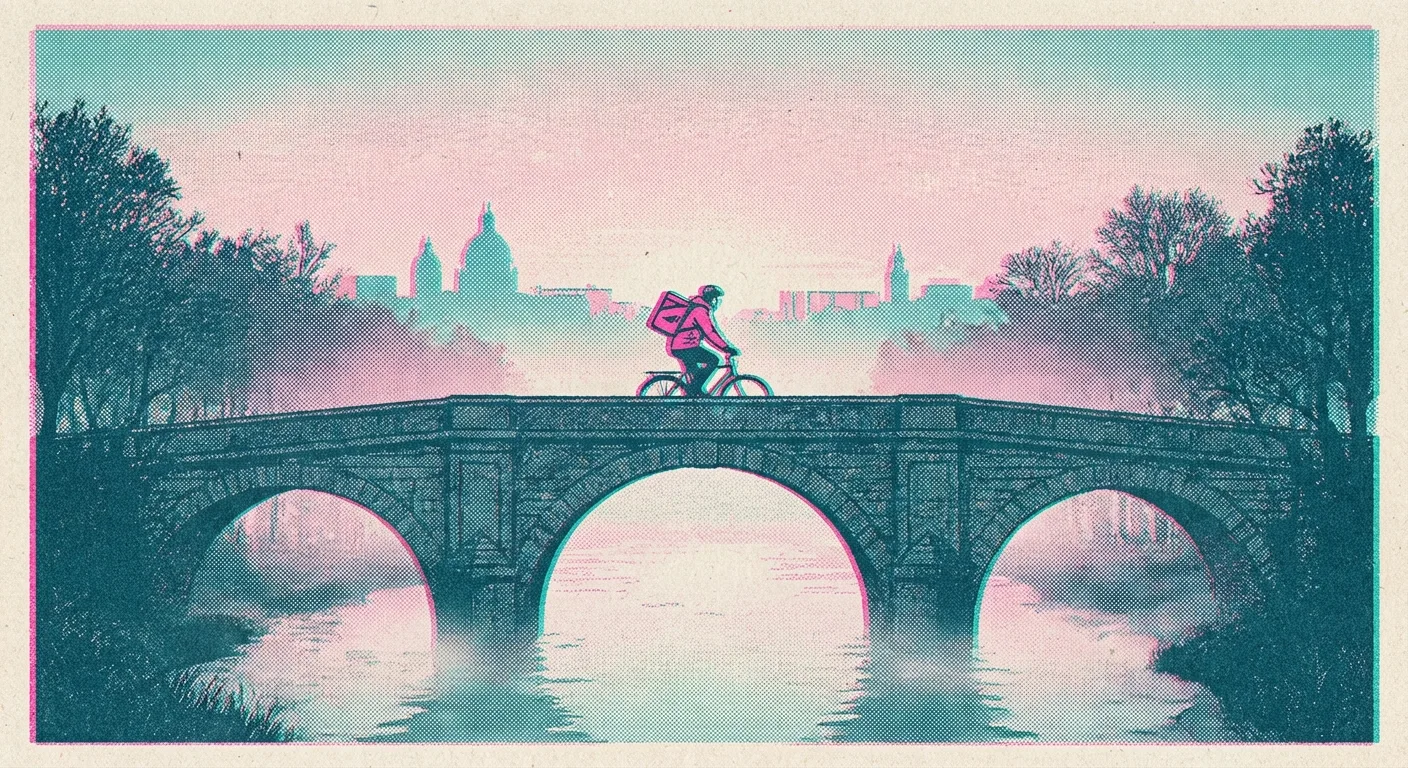
8. Clay 3D and claymation
“Miniature,” “clay texture,” and “stop-motion” point to a distinct physical look, and models carry the rounded forms across the whole scene.
Prompt adjustment:
Style treatment: 3D claymation miniature style, rounded handcrafted forms,
soft studio lighting, tactile clay texture, shallow depth of field.
gpt-image-1.5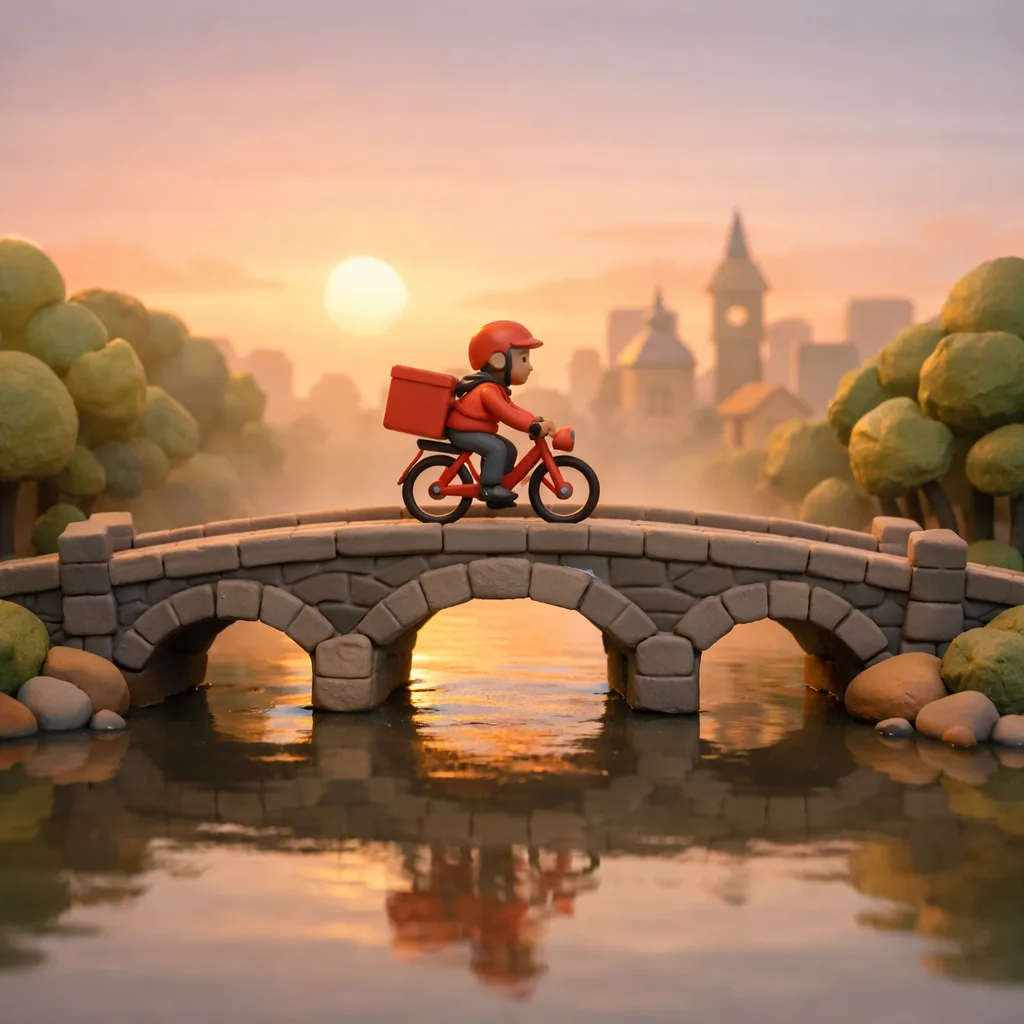
gemini-3-pro-image-preview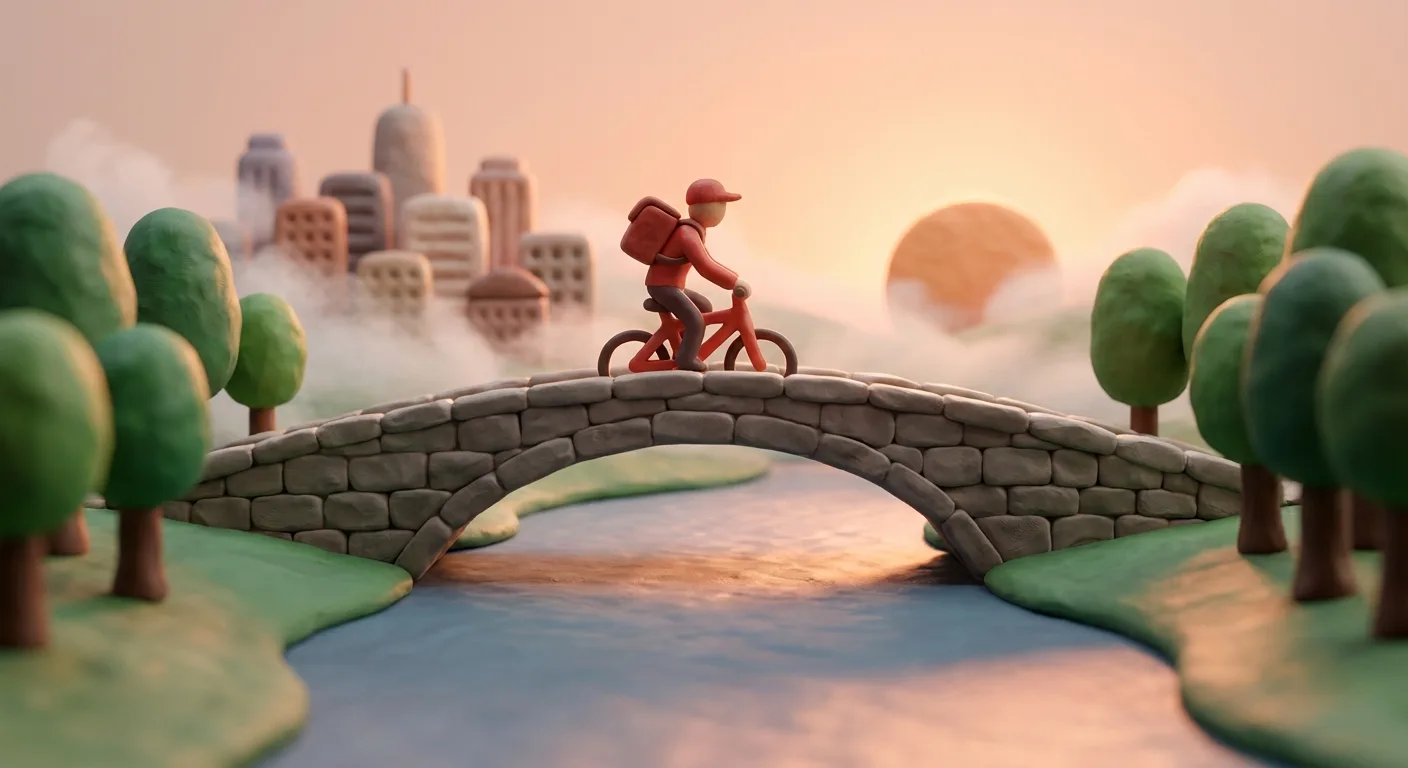
9. Synthetic Cubism
Fragmented planes give the model a clear way to distort the subject while the composition stays recognizable.
Prompt adjustment:
Style treatment: bright colored Synthetic Cubism illustration, angular fractured planes,
overlapping geometric forms, bold contrasting color blocks, subtle painted texture.
gpt-image-1.5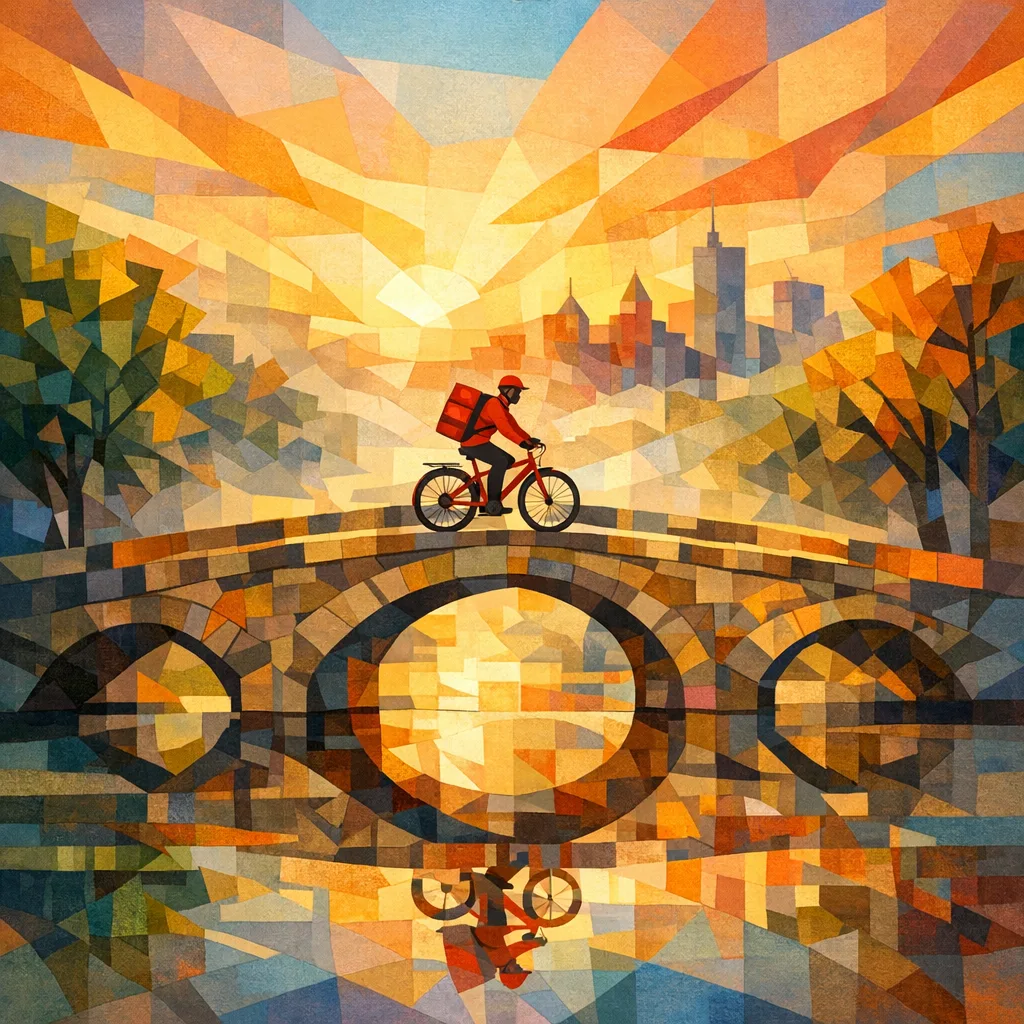
gemini-3-pro-image-preview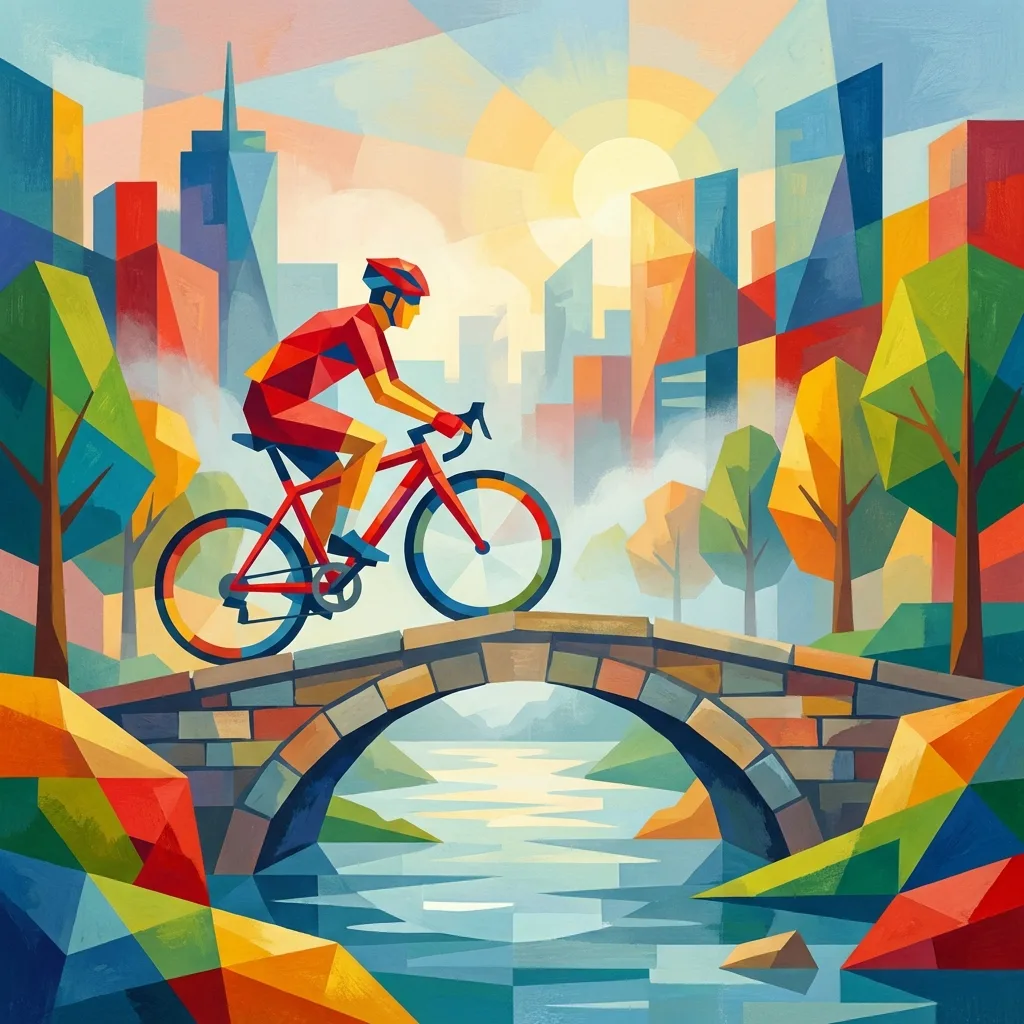
10. Linocut print
Gouges, rough edges, and limited ink are easy to name and easy to see, and the high contrast keeps the composition readable.
Prompt adjustment:
Style treatment: linocut print illustration, carved line textures, high contrast two-tone ink,
rough hand-carved edges, handmade press texture.
gpt-image-1.5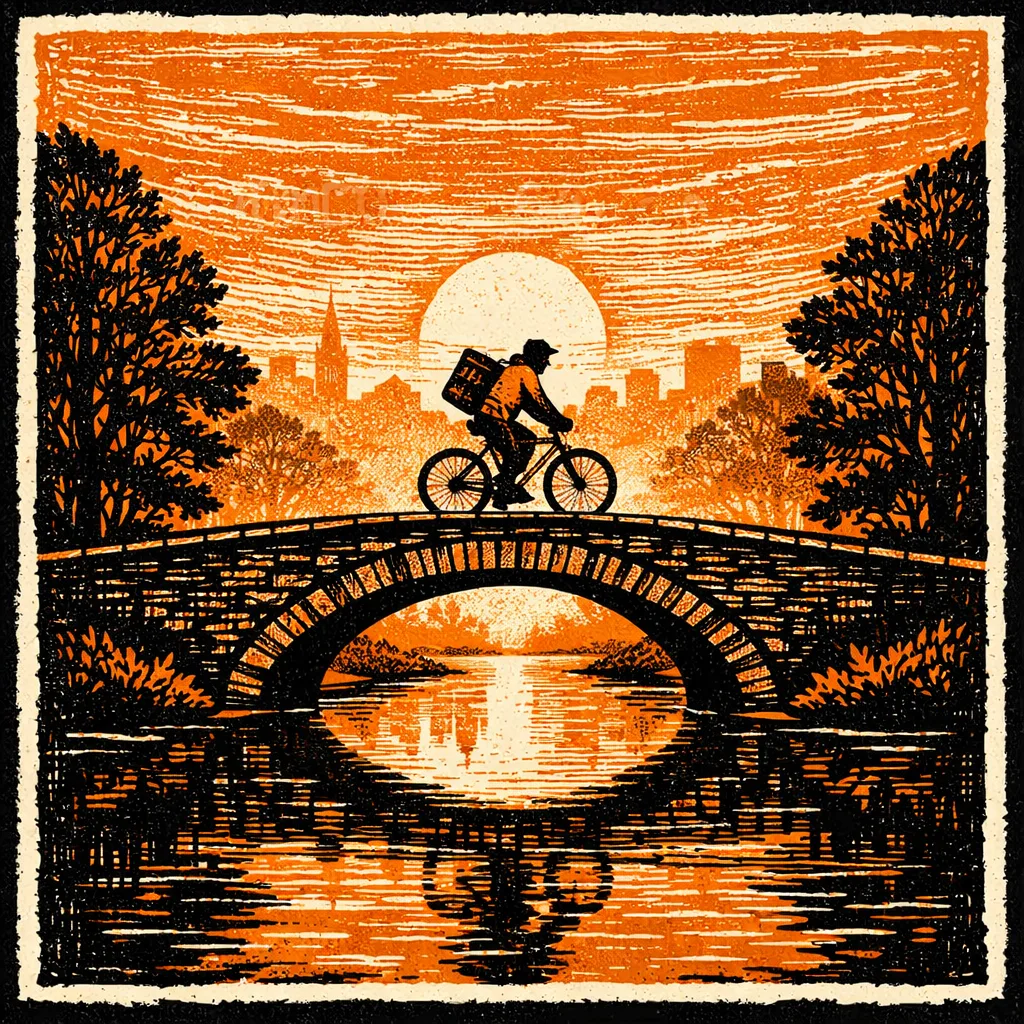
gemini-3-pro-image-preview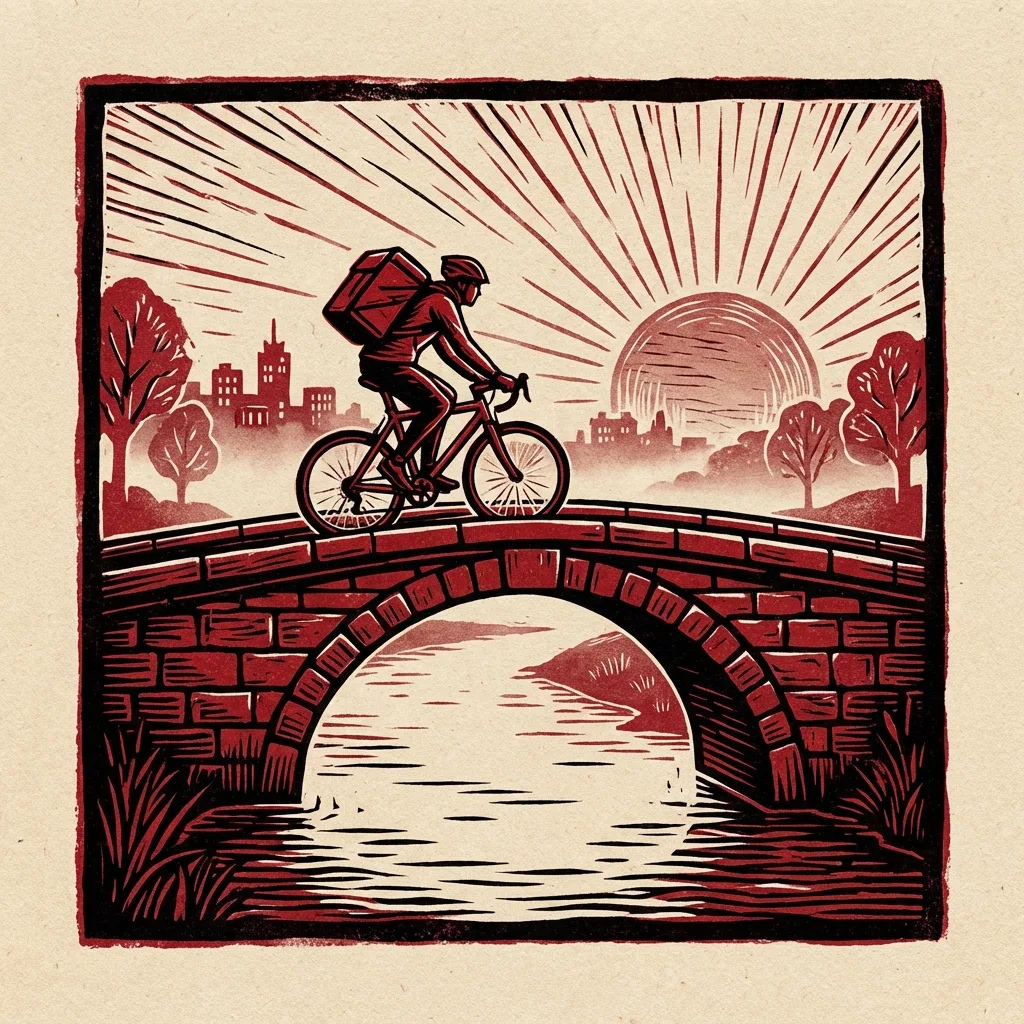
11. Art Nouveau poster illustration
Flowing lines, botanical ornament, flat color, and print texture are a recognizable rule set, and the poster format keeps the decoration from taking over the composition.
Prompt adjustment:
Style treatment: Art Nouveau poster illustration, flowing organic lines, ornamental botanical motifs,
flat decorative color fields, vintage print texture, elegant composition, no typography.
gpt-image-1.5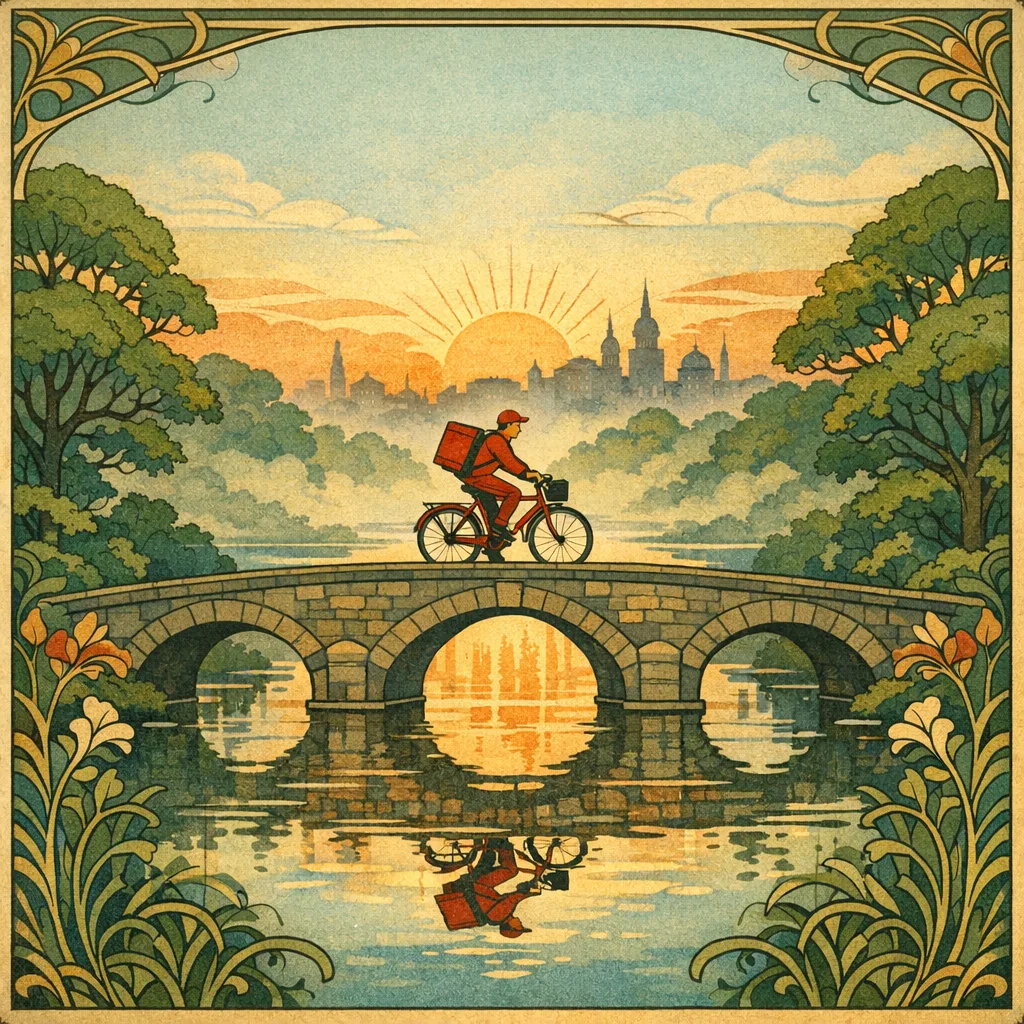
gemini-3-pro-image-preview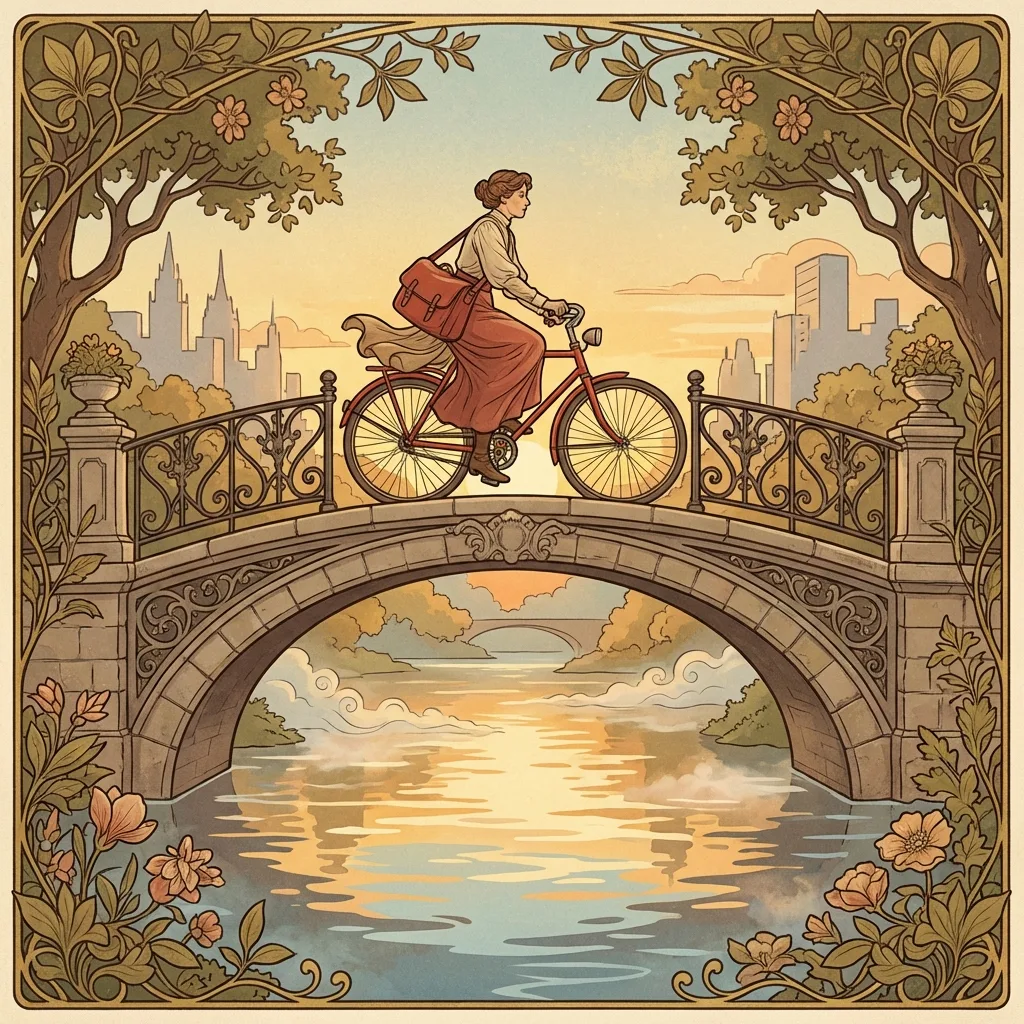
Reusable prompt template
For your own style sweeps:
Scene lock:
Draw [subject + action + environment + composition].

Style treatment:
[style name], [shape language], [color palette], [texture/material cues],
[lighting], [finish constraints].

Control block:
- Keep subject identity consistent across variants.
- Preserve object count and relative positions.
- Do not add extra logos/text/subjects.
- If text is required: render in [language], high legibility.

Output spec:
- Aspect ratio: [1:1 | 16:9 | 4:5]
- Target size: [1K | 2K | 4K]
What held up
- Name the material or technique: halftone, gouache, cut paper, hatching, carved ink.
- Describe the scene in sentences, not keyword piles.
- For harder scenes, make targeted edits instead of starting over.
- Say “no text or logos” when you don’t want typography.
References
- Google: Nano Banana 2 (Gemini 3.1 Flash Image) announcement
- Google AI for Developers: Image generation guide (Gemini API)
- Google DeepMind: Gemini 2.5 Flash Image page
- C2PA: Coalition for Content Provenance and Authenticity
- OpenAI: Image generation guide
- OpenAI: Image generation tool prompting tips
- Adobe Learn: Create a flat illustration
- Wikipedia: Isometric projection
- Wikipedia: Line art
- Wikipedia: Watercolor painting
- Britannica: Gouache
- Wikipedia: Papercutting
- Wikipedia: Risograph
- Wikipedia: Clay animation
- Britannica: Synthetic Cubism
- Britannica: Linocut
- V&A Museum: Art Nouveau style guide